
Loading
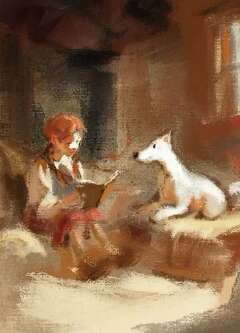
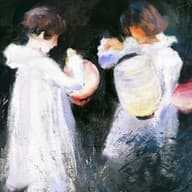
All the joys of traditional drawing. Pencils, charcoal, oil paints, watercolors, paper textures, and more. 45 Procreate brushes, like natural media.
Your download link arrives by email right after secure checkout by Fourthwall.
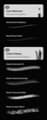
Brush list
45 brushes · Preview
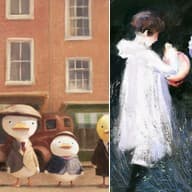
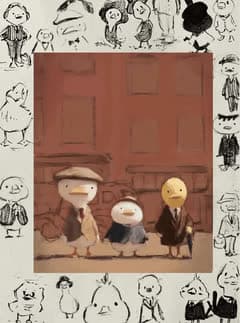
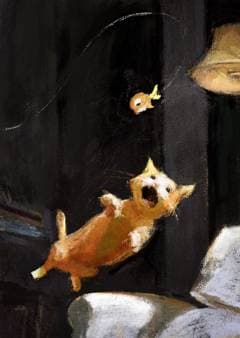
Duck timelapse painted with RuahStash brushes
The colors in the paintings above. Tap a color to copy its hex code, or download a palette for Procreate.
45 Procreate brushes, organized into clear mini-sets. Pencils + charcoal, high-contrast liners, inky markers, juicy washes, painterly oils. Paper + texture brushes.
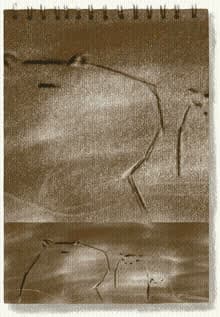
Uses real textures for grain, initially shot at up to 240.8 megapixels with Sony A7R4 camera + 90mm macro lens.
Crunchy edges, soft bleed, happy accidents, but still controllable.
This set is made for artists who miss the grain of paper and the bite of a real pencil. It bridges the gap between the traditional techniques you love and the digital freedom you need, while still supporting loose exploration and clean decisions. For those who want brushes that keep the work looking tactile and lifelike.
The 45 brushes consist of: a few core tools that behave predictably, plus the messy, expressive ones that add life, grit, and bite. Just like good old, traditional analog media.
 Use it when: you want speed and flow, but still need structure that does not fall apart.Use it when: you want crisp lines that still feel drawn by a hand, not generated.Use it when: you want faces to feel dimensional, textured, and real.Use it when: you want that traditional, imperfect finish that digital often misses.Use it when: you want speed and flow, but still need structure that does not fall apart.Use it when: you want crisp lines that still feel drawn by a hand, not generated.Use it when: you want faces to feel dimensional, textured, and real.Use it when: you want that traditional, imperfect finish that digital often misses.
Natural media brush pack
Your download link arrives by email right after secure checkout by Fourthwall.
 Lifetime updates
 Crafted with care
 Instant download
 Natural brush feel
For Procreate on iPad. 14-day satisfaction guarantee.
RuahStash is built for texture, bite, and a hand-made feel. ✦
1. Core Set (Pencils & Graphite): 2 brushes. Your everyday starters, clean enough to build with, textured enough to feel real. Includes Ruah Pencil Medium and Ruah Pencil Soft.
2. Gritty & Messy (Charcoals & Dry Media): 4 brushes. For soft drama, dusty shading, and those oops but it's good moments. Includes Ruah Charcoal Cloudy, Charcoal Glide, and Crayon Block, and more.
3. Inks & Liners (High Contrast): 6 brushes. From crisp to crunchy to delightfully imperfect. Includes Plain Liner, Crumbly Sketcher, Scratchy Inker, and Splotchy Liner, and more.
4. Blotchy (Markers, Shaders, etc.): 7 brushes. For soft marker vibes, texture shading, and organic edge variation. Includes Ink Bristle A, Marker Washy, and Shader Grainy, and more.
5. Washes & Paint (Oils, Watercolors, etc.): 16 brushes. Loose washes, painterly strokes, and rich loaded brush energy. Includes Blocky Watercolor - Thin, Paint Loaded and Watery, and Wet Paint on Canvas, and more.
6. Texture, Paper, Heavy Effects: 10 brushes. The finishing stash: grain, tooth, specks, smoothing, and a little magic. Includes Ruah Kraft Paper, Heavy Watercolor Paper, Grit Speckles, Simple Soft Blender, Maple Leaves, and more.
Core Sketchers (Pencils & Graphite)
Gritty & Messy (Charcoal & Dry Media) 3. Ruah Charcoal Fill 4. Ruah Charcoal Cloudy 5. Ruah Charcoal Glide 6. Ruah Crayon Block
Inkers & Liners (High Contrast) 7. Ruah Crayon Line A 8. Ruah Crayon Line B 9. Ruah Plain Liner 10. Ruah Crumbly Sketcher 11. Ruah Scratchy Inker 12. Ruah Splotchy Liner
Block-in (Markers, Shaders, etc.) 13. Ruah Ink Bristle A 14. Ruah Ink Bristle B 15. Ruah Marker Washy 16. Ruah Marker Sprinkly Noisy 17. Ruah Hard Marker on Sketchbook 18. Ruah Marker Crumbly 19. Ruah Shader Grainy
Washes & Paint (Oils, Watercolors, etc.) 20. Ruah Blocky Watercolor - Thin 21. Ruah Round Watercolor - More Thin 22. Ruah Paint Loaded and Watery 23. Ruah Paint Nervous High Contrast 24. Ruah Paint Watery Straight Flowy 25. Ruah Paint Hard Dry Bristles 26. Ruah Paint Chunky Straight Bristly 27. Ruah Wet Paint on Canvas 28. Ruah Paint Soft Scratchy on Canvas 29. Ruah Paint Heavy Loaded Bristly 30. Ruah Paint Soft Thin Organic 31. Ruah Paint Heavy Organic 32. Ruah Paint Wet Organic 33. Ruah Paint Wet Speckly 34. Ruah Paint Scratchy A 35. Ruah Paint Scratchy B
Texture, FX, etc. (Happy drawing!) 36. Ruah Kraft Paper 37. Ruah Cold Press Cotton 38. Ruah Heavy Watercolor Paper 39. Ruah Common Sketchbook 40. Ruah Pulpy Cratered Paper 41. Ruah Rough Paper Hard Overlay 42. Ruah Grit Speckles 43. Ruah Simple Soft Blender 44. Ruah Round Leaves 45. Ruah Maple Leaves
Made for Procreate on iPad. Works beautifully with Apple Pencil pressure + tilt. Best for illustration, sketching, inking, painting, texture finishing.
Recommended method (most reliable): import from inside Procreate
Where it shows up after import: A .brushset appears near the top of your Brush Library, under or near Recent.
Alternative: You can also tap the downloaded .brushset file in Files. Procreate may show an import prompt and bring it in directly. If that prompt does not appear, use the in-app Import from Files steps above.
After purchase: You are redirected to a download link and you will also receive the link by email.
Need help? Please feel free to email ruah@ruahstash.com.
Beginner-friendly, but deep enough for pros. The set responds beautifully to pressure and tilt, so it grows with your skill.
Satisfaction Guarantee: If you're unsatisfied or run into technical issues, I'll try to make it right if possible. Refunds are available within 14 days of purchase.
License: Use RuahStash in your personal work and client/commercial projects. Please don't redistribute, resell, or repackage the brush files themselves.
Designed by D. Y. Ruah, for RuahStash